
Writing texts8 min read
Merge fields in business texts: what to personalise
NHS guidance says people trust a text more when it opens with their name. How to use merge fields without blank names, capitals or the wrong person reading it.
In short
- The NHS guide to writing NHS messages tells senders to start a text with the patient's first or full name, because people are more likely to trust a text that is personalised.
- GOV.UK Notify fills placeholders written in double brackets, such as ((first name)), and its API documentation says you must provide a value for every placeholder in a template.
- UK GDPR Article 5(1)(d) requires personal data to be accurate and, where necessary, kept up to date, which includes the names and details a business merges into its texts.
- The GOV.UK Design System's names pattern warns that not everyone's name fits the first-name, last-name format, and advises services not to ask people for their title.
- NHS England's messaging guidance says a text can be read by anyone with access to the recipient's phone, so it should not contain sensitive information.
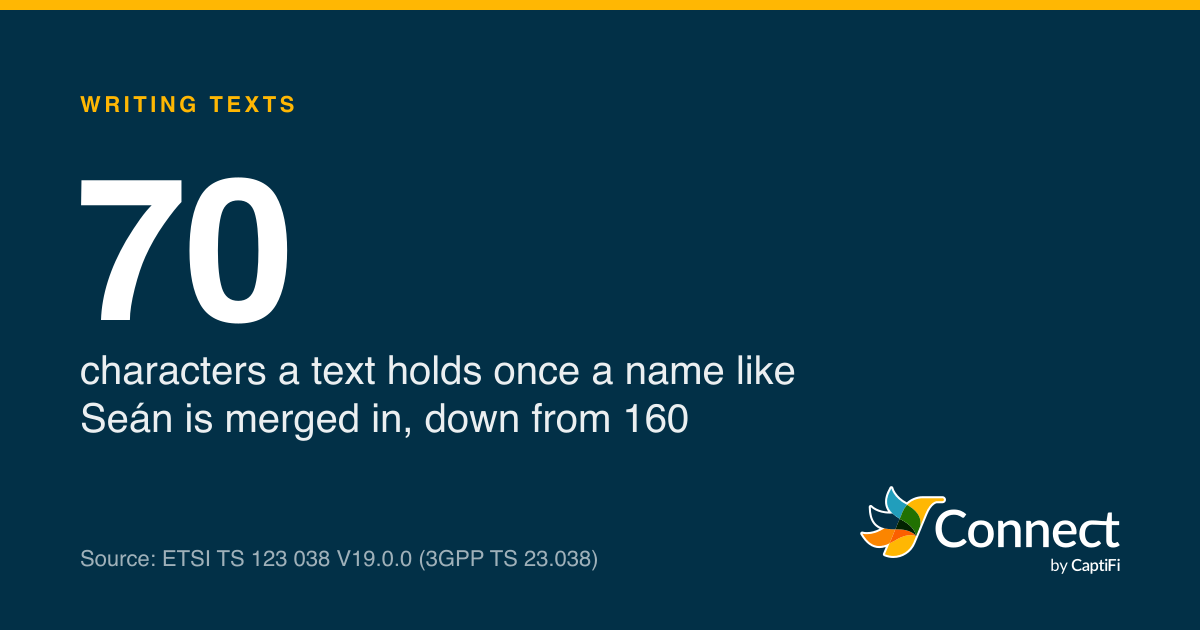
70: characters a text holds once a name like Seán is merged in, down from 160. Source: ETSI TS 123 038 V19.0.0 (3GPP TS 23.038).
A first name at the start of a text makes people more likely to trust it. That's the NHS's position, in the guide to writing NHS messages in its digital service manual (updated August 2026): "Start your message with the patient's first or full name as people are more likely to trust a text message if it is personalised." A merge field is how a business does that at scale. You write the template once with a placeholder, and each person's name, date or reference goes in as the message is sent.
It's also how one template produces a few hundred slightly different texts, and every one of them has to read properly. The name might be missing, written in capitals, too long for the space or spelled with a letter the standard text alphabet doesn't have. And the person reading it might not be the person it's addressed to. Each of those has a fix, and most of the fixes are already written down in NHS and GOV.UK guidance.
What does a merge field do?
GOV.UK Notify, the government's sending service, explains its version in one line: "To personalise a message, use double brackets to add a placeholder to your content", with the example "Hello ((first name)), your reference is ((reference number))." You either fill the placeholders in yourself or "upload a list of personal details and let Notify do it for you", in which case "the column names in your spreadsheet need to match the placeholders in the template".
Two details from Notify are worth copying whatever you send with. Its API documentation says that if a template has placeholders, "you must provide their values", so a gap where a name should be is an error to fix before sending. And Notify has a separate feature for sentences that only some people should see, which it calls optional content: you wrap a sentence in brackets with a name and two question marks, such as "((under18??Please get your application signed by a parent or guardian.))", and say yes or no for each person. It won't let you put a placeholder inside optional content, which keeps the logic simple enough to check.
When does a name help?
The NHS guidance is the clearest on this, because it covers texts specifically. "To save characters, text messages do not always require a formal greeting", it says. Start with the name instead, and "if you choose a formal greeting use 'Dear' followed by the patient's name". For the NHS App it adds that "patients are less likely to trust a message beginning 'Hi' or similar, especially if they are not expecting it".
The GOV.UK Service Manual puts the reason in a sentence: "Users are more likely to trust information that's relevant and clearly meant for them." Its guidance is to say who the message is from, tailor it, and include a reference number and contact details if the person might need to get back to you. For emails it recommends "Dear [firstname lastname]" over "Hi", with an aside that "you don't need to do either for texts".
Put those together and a name earns its place where trust is the problem: an appointment reminder, a message about money, anything with a link in it. The NHS's own advice on spotting genuine messages lists "personalise your message with the patient's name and a recognisable sign off" alongside naming the service and referring to an event the person will recognise, such as an appointment. On a promotional text to a list that already knows you, the name buys less, and it costs characters every time.
Other details can be merged too, and often they do more work than the name. The date, time and clinician of an appointment, a booking reference, the registration of a car booked in for its MOT: these are what make a reminder specific, and they come straight from the booking.
The ways a merge field breaks
A blank field
Take a reminder written as "Crown Dental: {first_name}, your check-up with Dr Patel is on...". Merge it for a contact with no first name on file and you get "Crown Dental: , your check-up", which looks like exactly the kind of automated message people distrust. Notify's answer is to require a value for every placeholder. The other answers are to write the template so it reads properly either way ("Crown Dental: your check-up with Dr Patel is on..." and the name nowhere), to send the people with no name a different template, or to fill the gap before you send. Pick one before the campaign goes out.
Names in capitals, titles and initials
Records imported from older systems often hold names as "MRS J JONES" or "JONES, JANET". Merge that into "Dear {name}" and you get "Dear MRS J JONES", which reads like a final demand. The GOV.UK Design System's names pattern has three points worth applying to any contact list. "Not everyone's name fits the first-name, last-name format", so a first-name field split out of a full name can be wrong. Avoid asking for a title, because "it's hard to predict the range of titles your users will have" and people may not want to reveal their gender or marital status. And "remember to correctly use people's names in any resulting correspondence", which means reading the finished text for a sample of real contacts.
A name that changes the part count
Every merged text is counted after the name goes in, so names change the length from person to person. The pattern also says fields should "support all the characters users may need to enter", and the GSM 7-bit alphabet in 3GPP TS 23.038, which standard texts use, doesn't have all of them. It has é and ñ but not á, ë or ł, so a Seán, a Zoë or a Łucja moves the whole text into UCS2, where one part holds 70 characters. The chart shows one template with six names.
- Characters in the text
- One-part limit
Template: "Crown Dental: {name}, your check-up with Dr Patel is on Thursday 19 November at 10:30am. Please reply YES to confirm or NO if you need a different time." Alexandra-Louise makes two parts; Seán and Łucja make three each.
Source: Our count, using the GSM 7-bit and UCS2 rules in 3GPP TS 23.038
See the figures as a table
| Characters in the text | One-part limit | |
|---|---|---|
| Jo | 148 | 160 |
| Amira | 151 | 160 |
| Christopher | 157 | 160 |
| Alexandra-Louise | 162 | 160 |
| Seán | 150 | 70 |
| Łucja | 151 | 70 |
With Jo the text is 148 characters, one part. Christopher takes it to 157, still one. Alexandra-Louise takes it to 162, two parts. Seán and Łucja are shorter than Christopher, but each text is three UCS2 parts. Leave 15 or 20 characters spare in any template that carries a name, keep the accents, and check the part count on the longest and the accented names before a big send. Our character limit guide explains the two alphabets.
The wrong person reading it
A mobile number usually belongs to one person, but not always. The NHS guidance has two rules for this. Writing to an adult who has a carer, "greet the patient and not their carer. This will help avoid confusion over who the communication is intended for, particularly if you are sending a text message." Writing about a child, greet the parent or carer and "include an identifying detail such as the name or date of birth of the child", as in its example: "Dear parent or carer, we are inviting your child born in ((month)) ((year))".
NHS England's messaging best practice adds the safeguarding point: text messages "can be read by anyone with access to the recipient's phone, so should not contain sensitive information". That's the line to draw for merge fields. A first name and an appointment time are fine. The treatment, the balance owed or the reason for the appointment don't belong in a field that ends up on a lock screen. The NHS guide applies the same thinking to links, which should "not contain any personal information such as the patient's name or NHS number".
Keeping names accurate is a legal duty
A name in a contact list is personal data, and our post on whether a mobile number is personal data covers the wider rules. One principle bites on merge fields directly. Article 5(1)(d) of the UK GDPR says personal data shall be "accurate and, where necessary, kept up to date; every reasonable step must be taken to ensure that personal data that are inaccurate... are erased or rectified without delay".
The regulator's guidance on that principle was written by the ICO, which became the Information Commission on 30 September 2026 and still calls itself the ICO. It says you "should take all reasonable steps to ensure the personal data you hold is not incorrect or misleading as to any matter of fact", that whether you need to keep data updated "will depend on what you are using it for", and that "in some cases it is reasonable to rely on the individual to tell you when their personal data has changed". Its example is a returned letter marked "not at this address": once that comes back, the record should show the address is no longer current. (The ICO says the guidance is under review after the Data (Use and Access) Act 2025.)
For a text, the equivalent of the returned letter is the reply. "Wrong number", "this isn't Sarah's phone any more" or "I'm her son, she passed away in June" are the moments the accuracy principle is talking about, and each one should change the record the same day. A merge field that keeps putting the wrong name in front of the wrong person is a data protection problem as well as an embarrassing one.
A checklist before you merge
NHS England's best practice page asks teams to "send test messages to yourself or a small group to test message comprehension" before a template goes live, and to "make it clear who the message is for, especially if you are writing to someone with a carer". For a merged template, the test group should include the awkward records on purpose: the blank first name, the hyphenated surname, the name in capitals and the one with an accent.
| Check | Why |
|---|---|
| Every placeholder has a value, or the template reads without it | A blank field makes a text look automated and careless |
| Names are in normal case, without titles or initials | "Dear MRS J JONES" reads like a demand |
| The longest and accented names still fit | One ł or á drops the limit to 70 characters |
| No sensitive detail is merged in | Anyone holding the phone can read it |
| Links carry no name or reference | The NHS guidance rules out personal information in links |
| Replies about wrong numbers update the record | UK GDPR Article 5(1)(d) |
CaptiFi Connect charges one credit per SMS part, so a name that pushes a reminder into a second part costs one extra credit on that person's text and nobody else's, and contact lists import as CSV, which is the easiest point to fix the capitals and gaps. Replies such as "wrong number" come into the two-way inbox with the rest, which is where the record gets corrected.
The test for any merge field is the same as for the template around it: read the finished text, for the person with the shortest name, the longest, the accented and the blank, before anyone else does.
Sources
Read for this post on 22 October 2026.
- NHS digital service manual: Writing NHS messages
- NHS England Digital: Messaging best practice
- GOV.UK Service Manual: Sending emails and text messages
- GOV.UK Notify: Personalisation
- GOV.UK Notify: Optional content
- GOV.UK Notify: API documentation, Python client
- GOV.UK Design System: Names pattern
- legislation.gov.uk: UK GDPR, Article 5
- ICO: Principle (d), accuracy
- ICO: transition to the Information Commission, 30 September 2026
- ETSI: TS 123 038 V19.0.0, Alphabets and language-specific information (3GPP TS 23.038)
Written by the CaptiFi Connect team. Published 22 October 2026. More in Writing texts
Send your first text this week
Set up your account and contacts now. Until we've approved it, a person reads each text before it goes out.